
Quick Answer: SessionStorage and localStorage are both browser-based Web Storage APIs that let websites store data on a user's device, but they differ critically in persistence and scope. localStorage retains data indefinitely across sessions and tabs, while sessionStorage erases data when the browser tab closes. From a privacy standpoint, localStorage carries substantially higher risk because data lingers without expiration, making it a more attractive target for tracking, fingerprinting, and regulatory scrutiny under frameworks like GDPR.
Key Takeaways
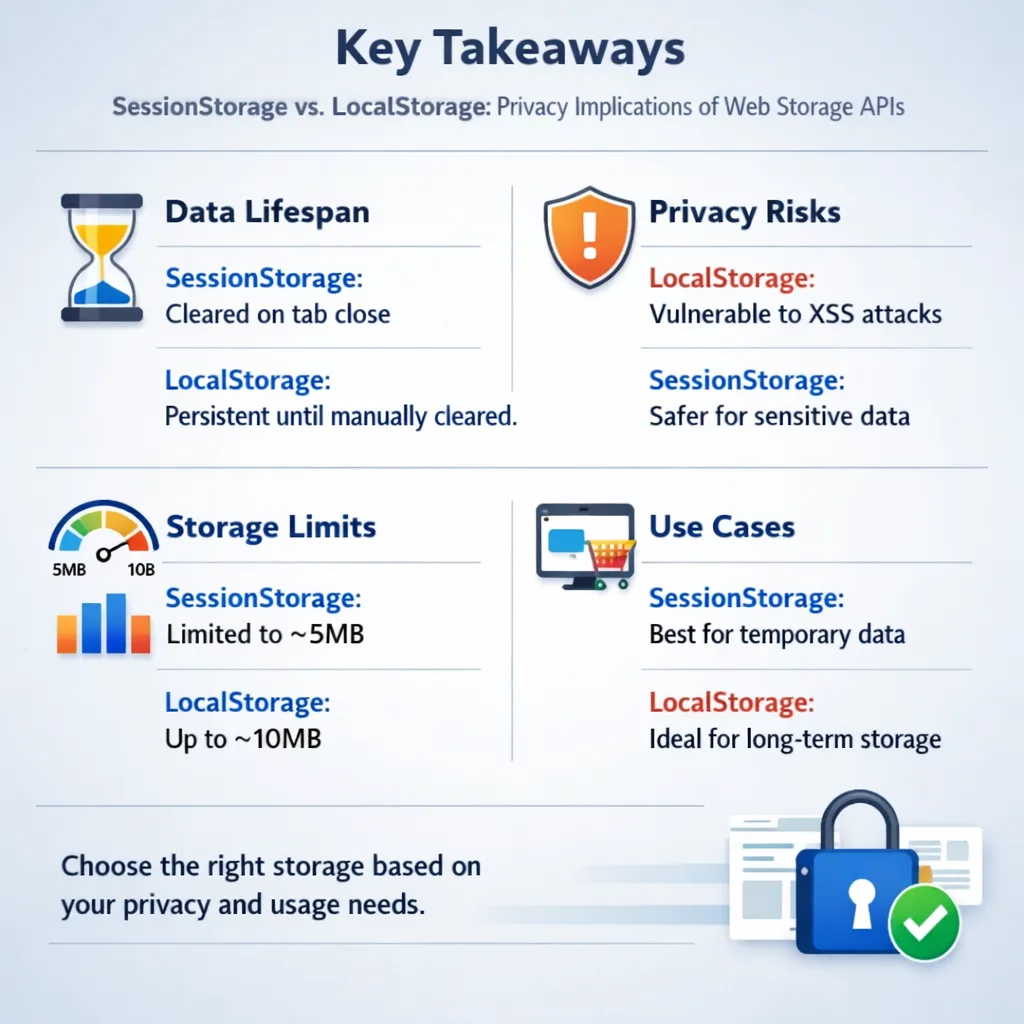
- localStorage persists indefinitely until explicitly cleared; sessionStorage is deleted when the tab or window closes.
- Both storage types are vulnerable to cross-site scripting (XSS) attacks and offer no built-in encryption.
- Neither localStorage nor sessionStorage data is transmitted to the server automatically, unlike cookies, but both are fully readable by any JavaScript running on the same origin.
- Third-party scripts loaded on a page can access localStorage data if they run within the same origin context.
- Under GDPR, storing non-essential data in localStorage without user consent is a compliance violation, the same as dropping tracking cookies.
- Sensitive data such as authentication tokens, passwords, and personally identifiable information (PII) should never be stored in either mechanism without additional security layers.
- Private/incognito browsing limits localStorage persistence but does not eliminate sessionStorage risks within a session.
- Developers should prefer sessionStorage for temporary state, server-side sessions or HttpOnly cookies for authentication, and a Consent Management Platform such as Biscotti CMP for managing storage consent.
What Is the Difference Between SessionStorage and LocalStorage?
SessionStorage and localStorage are both part of the HTML5 Web Storage API, but they serve distinct purposes defined by their persistence and tab-scope behavior.
localStorage stores key-value pairs with no expiration date. Data survives browser restarts, system reboots, and indefinite periods of inactivity until the user or the application explicitly removes it. It is shared across all tabs and windows operating under the same origin (protocol + domain + port). [1][5]
sessionStorage stores data only for the lifetime of the page session. When the user closes the tab or window, the data is gone. Critically, each tab maintains its own isolated sessionStorage, opening the same URL in a second tab does not share the first tab's sessionStorage data. [1]
| Feature | localStorage | sessionStorage |
|---|---|---|
| Persistence | Indefinite | Tab/window lifetime only |
| Shared across tabs | Yes (same origin) | No (per-tab isolation) |
| Survives page reload | Yes | Yes |
| Survives tab close | Yes | No |
| Storage capacity | ~5-10 MB per origin | ~5-10 MB per origin |
| Server transmission | No | No |
| HttpOnly protection | Not available | Not available |
Both APIs adhere to the same-origin policy, so a page at https://example.com cannot read storage set by https://otherdomain.com. [4]
Does localStorage Have Privacy Risks Compared to sessionStorage?
Yes, localStorage carries meaningfully higher privacy risks than sessionStorage, primarily because of its indefinite persistence and cross-tab accessibility.
Data written to localStorage can accumulate over months or years without the user's awareness. Advertisers and analytics vendors have historically used localStorage as a "super-cookie", a tracking identifier that survives cookie deletion because most users do not think to clear browser storage manually. sessionStorage, by contrast, self-destructs at tab close, making it a far less useful tracking vector.
Key privacy risk factors unique to localStorage:
- Persistent tracking identifiers: A unique ID stored in localStorage can track a user across multiple visits without any server-side cookie.
- Cross-tab data leakage: Any script running in any tab of the same origin can read all localStorage data.
- Storage event broadcasting: Changes to localStorage trigger a
storageevent in other open tabs from the same origin, enabling cross-tab data synchronization that users cannot observe. [5] - No automatic expiration: Unlike cookies, which support
Max-AgeandExpiresattributes, localStorage has no TTL mechanism.
Can Websites Track Users Using localStorage and sessionStorage?
Websites can and do use localStorage for persistent tracking. sessionStorage is less useful for tracking but still poses within-session surveillance risks.
A single JavaScript line, localStorage.setItem('uid', 'abc123'), creates a persistent identifier that survives cookie clearing. This technique, sometimes called "evercookie" or storage-based respawning, has been documented in privacy research and is the reason regulators increasingly treat localStorage under the same consent rules as cookies.
sessionStorage can track behavior within a single session (page flow, form inputs, navigation patterns), but that data disappears when the tab closes, limiting its utility for long-term profiling.
How Long Does Data Stay in SessionStorage vs. LocalStorage?
localStorage data stays until it is explicitly deleted, either by the user clearing browser storage, the website calling localStorage.removeItem() or localStorage.clear(), or the browser enforcing storage quotas. [2]
sessionStorage data is deleted automatically when the tab or window that created it is closed. It survives page reloads within the same tab but does not transfer to new tabs, even if the user duplicates the tab in some browsers. [1]
Practical implication: If a developer stores a session token in localStorage instead of sessionStorage, that token remains on the device after the user logs out, unless the application explicitly removes it. This is a common and consequential mistake.
Is SessionStorage More Private Than localStorage?
For most privacy use cases, yes, sessionStorage is the more privacy-respecting choice. Its automatic deletion at tab close means data does not linger, reducing exposure from device sharing, stolen devices, or forensic analysis.
However, sessionStorage is not inherently "private." Within an active session, it is just as vulnerable to XSS attacks as localStorage. Any injected script can call sessionStorage.getItem() and exfiltrate data in real time. [3]
Choose sessionStorage if: the data is only needed for the current user interaction (e.g., multi-step form state, one-time navigation tokens).
Choose localStorage if: the data genuinely needs to persist across sessions (e.g., user UI preferences, non-sensitive settings), and ensure it contains nothing personally identifiable.
What Personal Data Should Never Go in localStorage?
The following categories of data should never be stored in localStorage (and should be handled with extreme caution even in sessionStorage): [3]
- Authentication tokens (JWTs, OAuth tokens, session IDs)
- Passwords or password hashes
- Credit card or payment information
- Government-issued ID numbers or Social Security numbers
- Full names combined with email addresses or phone numbers
- Medical or health records
- Any data classified as "special category" under GDPR (biometric data, health data, political opinions)
Data stored in both localStorage and sessionStorage is unencrypted by default. Anyone with physical access to the device, or any script capable of executing on the page, can read it in plain text. [3]
Can Third-Party Scripts Access localStorage Data?
Third-party scripts can access localStorage data if they are loaded and executed within the same origin as the host page. This is a critical and frequently underestimated risk.
When a website embeds a third-party analytics or advertising script via a <script> tag, that script runs in the host page's origin context. It can read and write to the site's localStorage freely. The same-origin policy does not protect against scripts that are intentionally or inadvertently included on the page. [4]
What this means in practice: If a site stores a user identifier in localStorage and also loads a third-party ad script, that ad script can read the identifier and associate it with cross-site behavioral data, without the user's knowledge or consent.
This is one reason why Consent Management Platforms matter. Biscotti CMP enables websites to manage and document user consent for storage operations, including localStorage-based tracking, helping sites meet their obligations under GDPR and similar frameworks.
What Are the GDPR Implications of Using localStorage?
Under GDPR, any storage of personal data or tracking identifiers, regardless of the technical mechanism, requires a lawful basis. For non-essential tracking via localStorage, that basis is almost always explicit user consent. [2]
The European Data Protection Board has confirmed that localStorage used for analytics, advertising, or user profiling falls under the same consent requirements as cookies. Websites that drop tracking identifiers into localStorage without prior consent face the same enforcement exposure as those using unconsented cookies.
Compliance checklist for localStorage under GDPR:
- Audit all localStorage keys written by first-party and third-party scripts.
- Classify each key: is it strictly necessary for the service, or is it used for analytics/advertising?
- For non-essential storage, gate the write operation behind documented user consent.
- Provide users with a clear mechanism to withdraw consent and trigger storage deletion.
- Document the data controller's legitimate interest or consent record.
A properly configured Consent Management Platform such as Biscotti CMP can automate much of this consent lifecycle.
Can localStorage Be Accessed Across Different Websites?
No. localStorage is strictly scoped to the origin (protocol + domain + port combination) that created it. A script on https://siteA.com cannot read localStorage data set by https://siteB.com. [4]
However, this protection has limits. If a single advertising or analytics provider loads its scripts on both siteA.com and siteB.com, each instance writes to that respective site's localStorage independently. The provider then correlates the data server-side, effectively achieving cross-site tracking without violating the same-origin policy.
How Do Incognito Mode and Private Browsing Affect localStorage?
Private/incognito browsing creates a temporary storage partition that is deleted when the private window closes. localStorage written during an incognito session does not persist to the main browser profile and is not accessible to regular browsing windows.
sessionStorage behaves the same in incognito as in regular browsing: it is deleted when the tab closes.
Important caveats:
- Within an active incognito session, localStorage is still readable by all scripts running in that session's same-origin context.
- Incognito mode does not prevent real-time XSS-based data exfiltration.
- Some browsers sync localStorage across devices if the user is signed into browser sync, a behavior that can move "local" data to cloud infrastructure.
How Do I Clear SessionStorage and localStorage for Privacy?
Clearing browser storage is straightforward but requires deliberate action since browsers do not do it automatically for localStorage.
Browser-level clearing:
- Chrome: Settings > Privacy and Security > Clear browsing data > Cached images and files + Site data
- Firefox: Settings > Privacy & Security > Cookies and Site Data > Clear Data
- Safari: Settings > Privacy > Manage Website Data
Programmatic clearing (for developers):
localStorage.clear()removes all keys for the origin.sessionStorage.clear()removes all keys for the current tab session.localStorage.removeItem('keyName')removes a specific key.
For end users concerned about tracking: clearing "site data" or "cookies and storage" in browser settings removes both localStorage and sessionStorage contents for all sites. Browser extensions designed for privacy can automate this on a per-site or per-session basis.
What Are Common Privacy Mistakes Developers Make With Web Storage?
The most consequential mistakes share a common root: treating client-side storage as if it were a secure server-side database.
- Storing JWTs in localStorage: Authentication tokens stored in localStorage are accessible to any script on the page. A single XSS vulnerability exposes every user's token. Use HttpOnly cookies for authentication tokens instead.
- No expiration logic: localStorage has no TTL. Developers who store data without building expiration logic leave stale, sensitive data on devices indefinitely.
- Assuming same-origin means safe: Same-origin policy blocks external sites, not malicious scripts loaded from within the same site (XSS, compromised third-party libraries).
- Ignoring third-party script access: Embedding analytics or ad scripts without auditing what they read from localStorage.
- No consent gate for tracking storage: Writing analytics identifiers to localStorage before obtaining user consent, a direct GDPR violation. [2]
- Storing redundant PII: Caching API responses that include full user profiles in localStorage "for performance" without considering the exposure surface.
Is IndexedDB More Private Than localStorage?
IndexedDB is not inherently more private than localStorage. Both are governed by the same-origin policy, both are accessible to JavaScript running on the page, and both are vulnerable to XSS attacks.
IndexedDB offers greater storage capacity and supports structured data and binary blobs, making it suitable for complex offline applications. But from a privacy and security standpoint, the risks are comparable. Data stored in IndexedDB is also unencrypted by default, and it persists indefinitely unless explicitly deleted.
The choice between IndexedDB and localStorage should be driven by data complexity and volume requirements, not privacy assumptions. Neither is appropriate for sensitive personal data without application-layer encryption and strict access controls.
Conclusion
The SessionStorage vs. LocalStorage: Privacy Implications of Web Storage APIs debate is not merely a technical footnote, it has direct consequences for user privacy, regulatory compliance, and application security. localStorage's indefinite persistence and cross-tab accessibility make it a high-risk storage mechanism when misused, while sessionStorage's automatic deletion at tab close makes it the more defensible choice for temporary state.
Actionable next steps for developers and website owners in 2026:
- Audit all localStorage and sessionStorage usage across first-party and third-party scripts using browser DevTools (Application tab).
- Remove any authentication tokens, PII, or sensitive identifiers from client-side storage immediately.
- Replace localStorage-based auth token storage with HttpOnly, Secure cookies managed server-side.
- Implement a consent management workflow, using a platform such as Biscotti CMP, to gate non-essential localStorage writes behind documented user consent.
- Build expiration logic into any localStorage data that must persist, and enforce cleanup on logout.
- Conduct a third-party script audit to understand what external code can read from your origin's storage.
- Train development teams on XSS prevention as the primary attack vector against both storage types.
Web storage APIs are powerful tools. Used without privacy discipline, they become liability vectors. Used with deliberate scoping, consent management, and security hygiene, they serve their intended purpose without compromising the users who trust your application.
FAQ
Q: What is the main difference between sessionStorage and localStorage? localStorage persists data indefinitely across sessions and is shared across all tabs of the same origin. sessionStorage stores data only for the current tab's lifetime and is deleted automatically when the tab closes.
Q: Can localStorage be used to track users without cookies? Yes. A unique identifier stored in localStorage survives cookie deletion and can be used to track users across multiple visits to the same site, functioning as a persistent tracking mechanism.
Q: Is sessionStorage safe for storing passwords? No. sessionStorage is not encrypted and is accessible to any JavaScript running on the page, including injected malicious scripts. Passwords should never be stored in any client-side storage mechanism.
Q: Does GDPR apply to localStorage? Yes. Under GDPR, storing tracking identifiers or personal data in localStorage without a lawful basis, typically explicit user consent for non-essential purposes, is a compliance violation equivalent to unconsented cookie usage.
Q: Can third-party scripts read my localStorage data?
Yes, if those scripts are loaded and executed within the same origin. Third-party analytics or advertising scripts embedded via <script> tags run in the host page's origin context and can read all localStorage data for that origin.
Q: Does clearing cookies also clear localStorage? Not always. In most browsers, clearing "cookies" alone does not clear localStorage. Users must specifically clear "site data" or "cookies and other site data" to remove localStorage contents.
Q: Is incognito mode safe from localStorage tracking? Incognito mode prevents localStorage data from persisting after the private window closes, but within an active incognito session, localStorage is still readable by all scripts on the page.
Q: What should I use instead of localStorage for authentication tokens? Use HttpOnly, Secure, SameSite cookies managed server-side. These cookies are inaccessible to JavaScript, eliminating the XSS-based token theft risk that localStorage carries.
Q: Is IndexedDB more secure than localStorage? No. IndexedDB is subject to the same XSS vulnerabilities and same-origin policy as localStorage. It offers greater capacity and data structure support but no additional privacy or security guarantees.
Q: How much data can localStorage and sessionStorage hold? Most modern browsers allocate approximately 5 to 10 MB of storage per origin for each storage type, significantly more than the 4 KB limit typical of cookies. [2]
References
[1] Sessionstorage - https://developer.mozilla.org/en-US/docs/Web/API/Window/sessionStorage?utm_source=openai
[2] What Is Localstorage Sessionstorage - https://inspectwp.com/en/knowledge-base/what-is-localstorage-sessionstorage?utm_source=openai
[3] Html5 Web Storage Security Risks Safeguarding Localstorage And Sessionstorage - https://www.dopethemes.com/html5-web-storage-security-risks-safeguarding-localstorage-and-sessionstorage/?utm_source=openai
[4] Localstorage - https://javascript.info/localstorage?utm_source=openai
[5] Localstorage Sessionstorage - https://www.w3docs.com/learn-javascript/localstorage-sessionstorage?utm_source=openai
[6] Cookies Vs Localstorage Vs Sessionstorage What Each One Exactly Means - https://www.interserver.net/tips/kb/cookies-vs-localstorage-vs-sessionstorage-what-each-one-exactly-means/?utm_source=openai